Discount calculator
Find the discounted price, discount rate or original list price.
Your saved calculations
Example calculation
- Payment including VAT
- 9,600.00 TL

Take this calculation with you.
Open, save and share without retyping.
Review the amounts before opening them in the app.
Save this calculation
Saved only in this browser.
About saved calculations
No sync to other devices or the app. Clearing browser data also removes these records.
- List price
- —
- Total discount amount
- —
- Price after discount
- —
- Discounted tax base
- —
- VAT amount
- —
- Effective total discount rate
- 20%
Prepare your price to share
Add your details, then download the live preview as PNG or PDF.
Quotes and company details stay in this browser and are not sent to a server. Clear them after using a shared device. Clearing browser data also removes these records.
Manage stored data
This removes all quotes, company details and logos here. Frequent calculations are kept.
Live preview
EnlargeRates and calculation scope
Choose the VAT rate for your transaction. The tool does not determine applicability or exemptions. The summary is not an invoice. Amounts are not sent to a server.
Frequent calculations
Reopen a saved calculation, change the amount and reuse it.
No saved calculations yet. Use Save next to the result to add one.
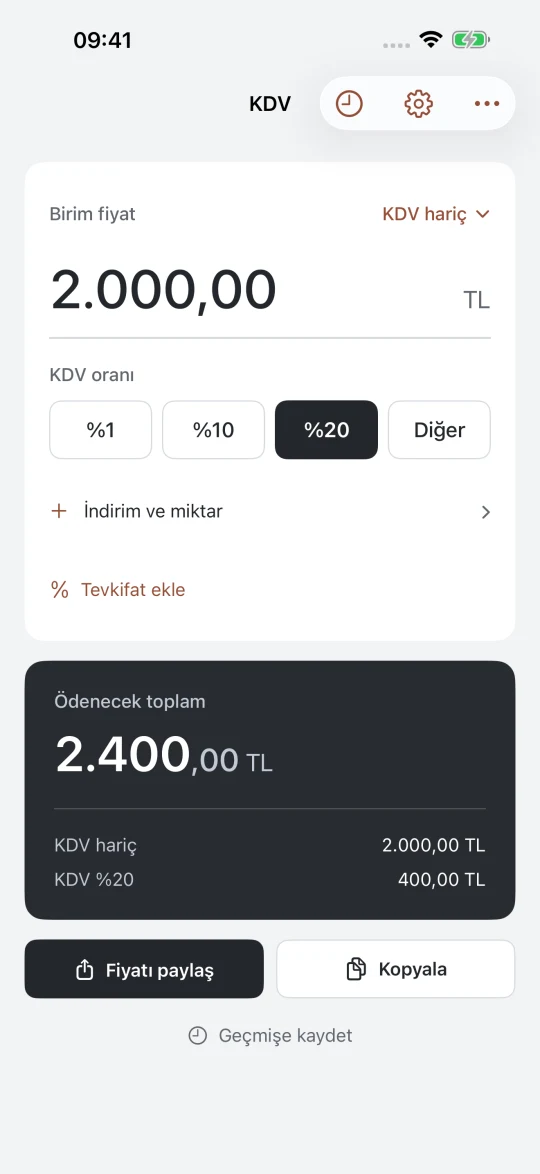
Keep your price calculation with you.
Prepare quantity, discount and VAT details in the app, then share a price card.

iPhone and iPad. Apple and the Apple logo are trademarks of Apple Inc. App Store is a service mark of Apple Inc.
How is a discount calculated?
Discount amount = list price × rate ÷ 100. Discounted price = list price − discount amount. A 20% discount on 10,000 TL saves 2,000 TL and gives an 8,000 TL price.
Find the discount percentage between prices
Discount rate = (list price − discounted price) ÷ list price × 100. A reduction from 10,000 TL to 7,500 TL is 25%. Enter both prices on the same VAT basis.
Sequential discounts: why 20% + 10% is not 30%
Each discount applies to the remaining price. Starting at 10,000 TL: 20% gives 8,000 TL, then 10% gives 7,200 TL. Total savings are 2,800 TL, an effective 28% discount.
Find the original price from a discount
Original price = discounted price ÷ (1 − rate ÷ 100). An 8,000 TL price after a 20% discount was originally 10,000 TL. For two discounts, multiply the two remaining fractions. A 100% discount cannot produce a positive price for reverse calculation.
Discounts and VAT
For exclusive prices, VAT is added to the discounted base. A 10,000 TL list price with 20% discount and 20% VAT gives an 8,000 TL base, 1,600 TL tax and 9,600 TL payment. For inclusive prices, VAT is extracted from the discounted price rather than added again.
Open an example, then enter your amount
These examples use a selected 20% VAT rate. Choose the applicable rate for your own transaction.
Sequential discounts of 20% and 10%
List price: 10,000.00 TL · Discounted base: 7,200.00 TL · VAT: 1,440.00 TL · Total: 8,640.00 TL
Open this calculationFind the list price from 8,000 TL
List price: 10,000.00 TL · Discounted base: 8,000.00 TL · VAT: 1,600.00 TL · Total: 9,600.00 TL
Open this calculation
Rounding to cents
Amounts use integer cents; half a cent rounds up. Inclusive VAT is the total minus the rounded base. Each sequential discount is rounded separately. Reverse calculation selects the nearest cent and shows a target difference if needed. Rates use at most two decimal places.
Frequently asked questions
Can discount percentages be added?
Sequential discounts are not added. The second rate applies to the remaining price; results show the effective total rate.
Can I see saved calculations on another device?
No. Named calculations are stored only in this browser. Reuse restores inputs so you can edit rates. Clearing browser data removes the records.
Can I send the result to a customer?
Copy the breakdown, create a named PNG or PDF price card here. These summaries do not replace an invoice.
Source and scope
The arithmetic formulas are explained above. Check the Turkish Revenue Administration’s official text for VAT applicability; this tool does not issue documents or determine rates or exemptions.
GİB — General VAT Implementation Communiqué (Turkish)